Blog
A week at e4 - Themeing in e4
Core Work-Items
Themeing in e4 is done using CSS like Declarative Syntax. The latest nightly builds introduce an extension point which allows people to define and contribute CSS-Files to make up a theme from different css-Files. 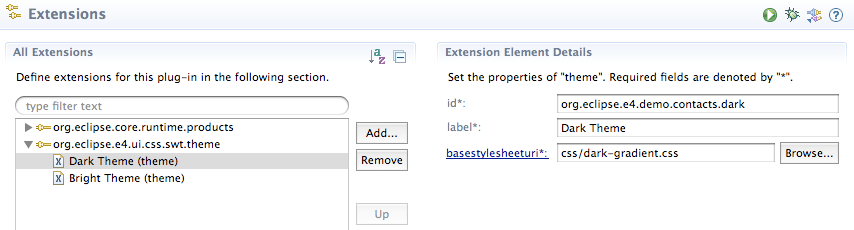 So now plugin-developers can contribute stylesheets which hold CSS-Definitions (classes, ...) they use in their UI-Bundles. One of the interesting things in this sense is that even the latest 3.6 builds can make use of the CSS themeing support (an example is my Workbench-Modeleditor which now runs unmodified in 3.6). The extension point is used to make up a theme in a declarative manner but IThemeManager is also registered in the OSGi-Service registry and can be access by client code e.g. to switch the UI-Theme on the fly. In 3.x e.g. like this:
public class CSSViewPart extends ViewPart {
  private static final String CSS_CLASS_KEY = "org.eclipse.e4.ui.css.CssClassName"; //$NON-NLS-1$

  @Override
  public void createPartControl(Composite parent) {
    Bundle b = FrameworkUtil.getBundle(getClass());
    BundleContext ctx = b.getBundleContext();
    ServiceReference ref = ctx.getServiceReference(IThemeManager.class.getName());

    IThemeManager mgr = (IThemeManager) ctx.getService(ref);
    final IThemeEngine engine = mgr.getEngineForDisplay(parent.getDisplay());
    // ...
  }
}
In e4 you'd better use simply @Inject to even get the theme engine bound to the workbench instance:
public class CSSView {
  @Inject
  private IThemeManager manager;

  @Inject
  private IThemeEngine engine;
}
An example CSS-File could look like this:
.h2 {
	color: white;
    font-size: 20pt;
}

.container {
    background-color: gradient radial #575757 #101010 60%;
}
and the Java-Code to use it
final Composite p = new Composite(parent, SWT.NONE);
p.setData(CSS_CLASS_KEY, "container");
p.setBackgroundMode(SWT.INHERIT_DEFAULT);
p.setLayout(new GridLayout(2, false));

Label l = new Label(p, SWT.NONE);
l.setData(CSS_CLASS_KEY, "h2");
l.setText("This is a headline");
l.setLayoutData(new GridData(SWT.FILL, SWT.DEFAULT, false, false, 2, 1));

engine.applyStyles(p, true); // Apply the CSS-Instructions of the current active theme
The last line applies the current theme CSS-Information on all elements below the given widget. Switching between themes is quite easy using:
engine.setTheme("org.eclipse.e4.demo.contacts.dark");
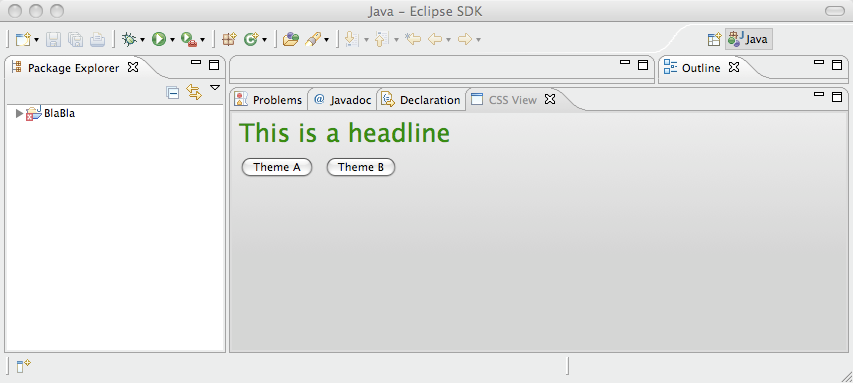
Which makes the 3.x ViewPart look like this with a radial black gradient: 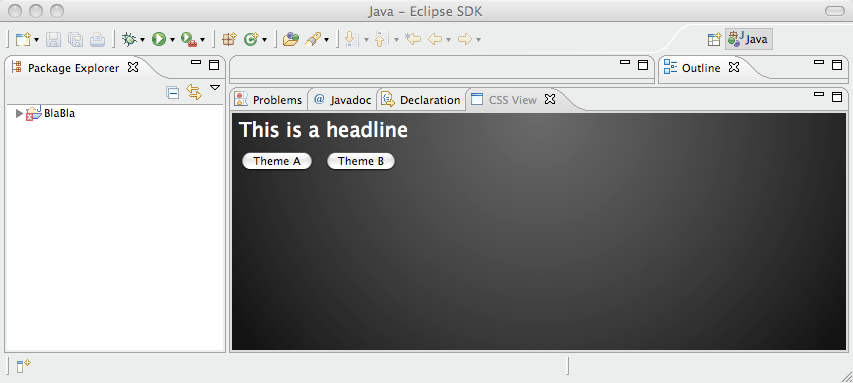 or a bright one:
  The currently needed plug-ins from e4 and orbit are: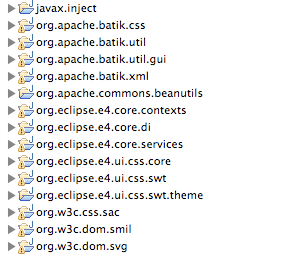
Model Editor
I started refactoring some code so that model modification can be run using the e4-CommandService. Beside that I added support for Main-Menu creation and fixed some other small things. Update: Added description how to use the IThemeEngine, ...