Blog
Consumeable UFaceKit-Builds for SWT
This a remarkable day in the history of UFaceKit because since today we can provide consumeable nightly builds to install or create a target platform. A big thank you to Chris Aniszczyk and Pascal Rapicault who helped me in getting my build in shape - I hope to meet you at EclipseCon and pay you some beers. Let's take a look how one get his/her hands dirty on UFaceKit for SWT:
- Create a new target platform with the following steps
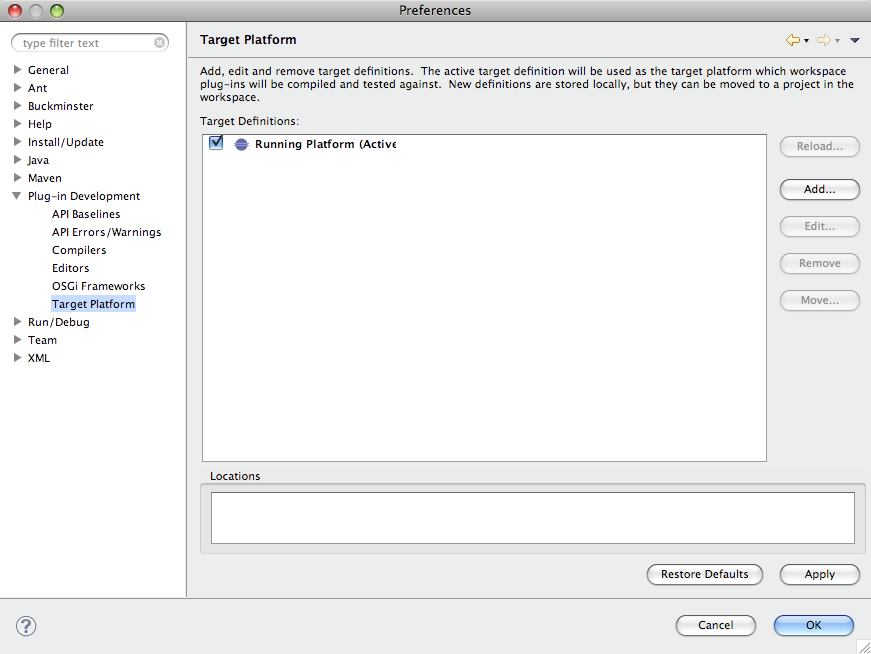
- Open the target platform properties page
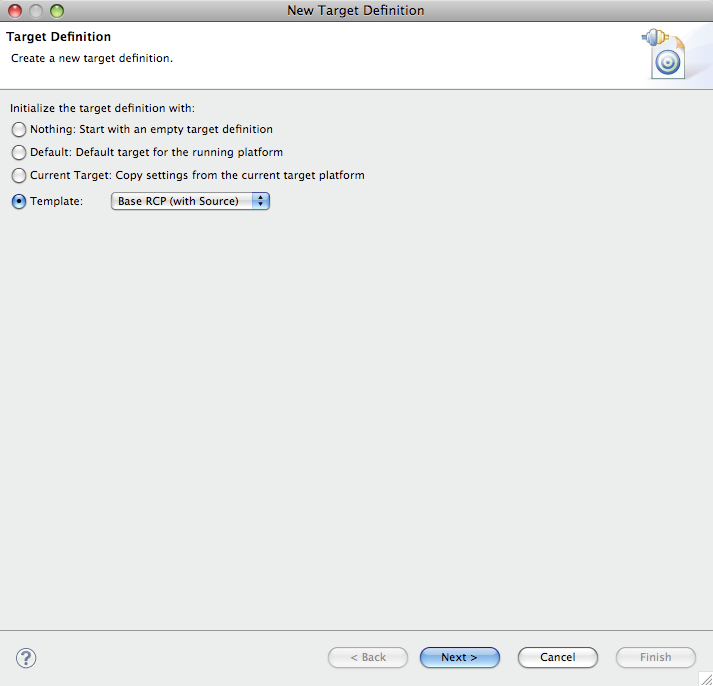
- Select the RCP-With-Source-Template
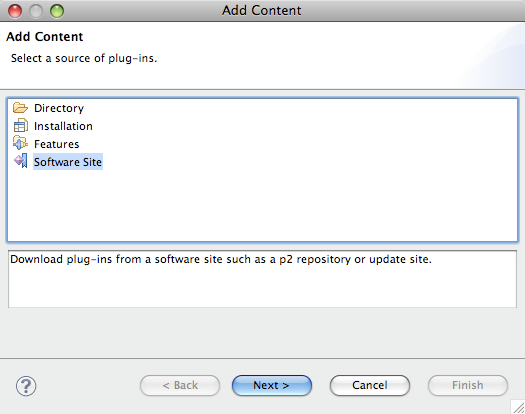
- Select Add... on the page to add additional plugins and select "Software Site" on the opened dialog
- Click once more the Add...-Button
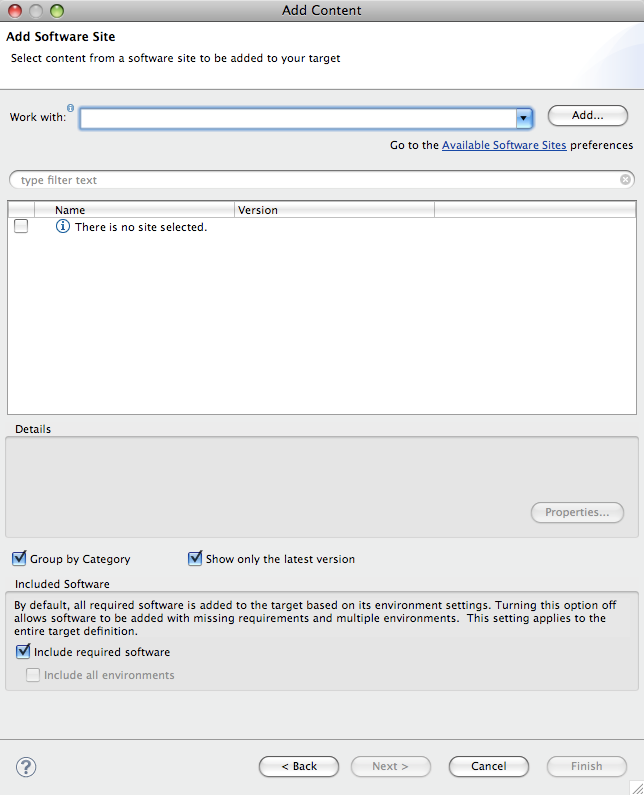
- Insert as URL http://download.eclipse.org/ufacekit/updates-nightly/
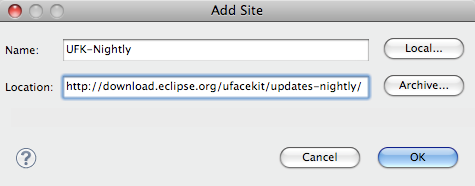
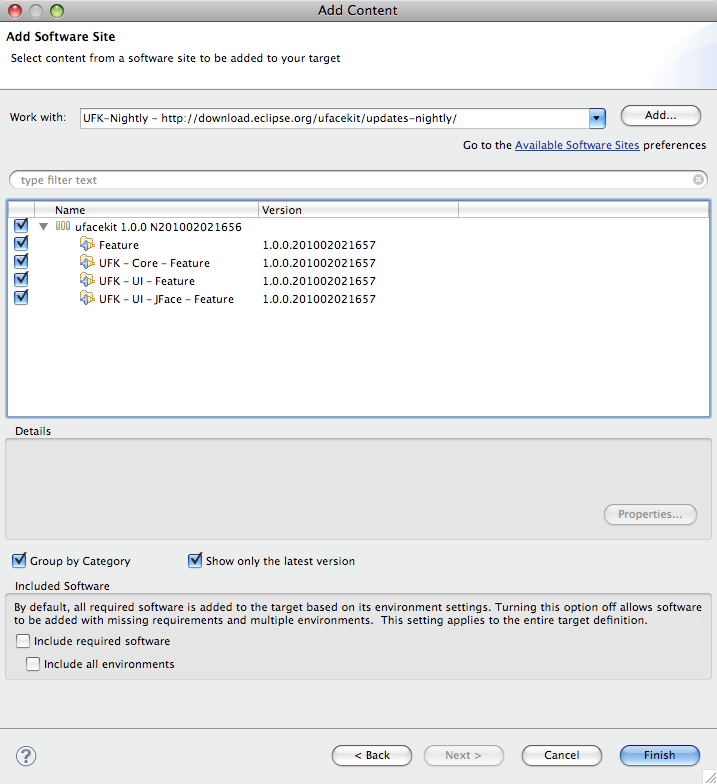
- Check the top most checkbox in the tree shown and VERY IMPORTANT UNCHECK "Include required software"
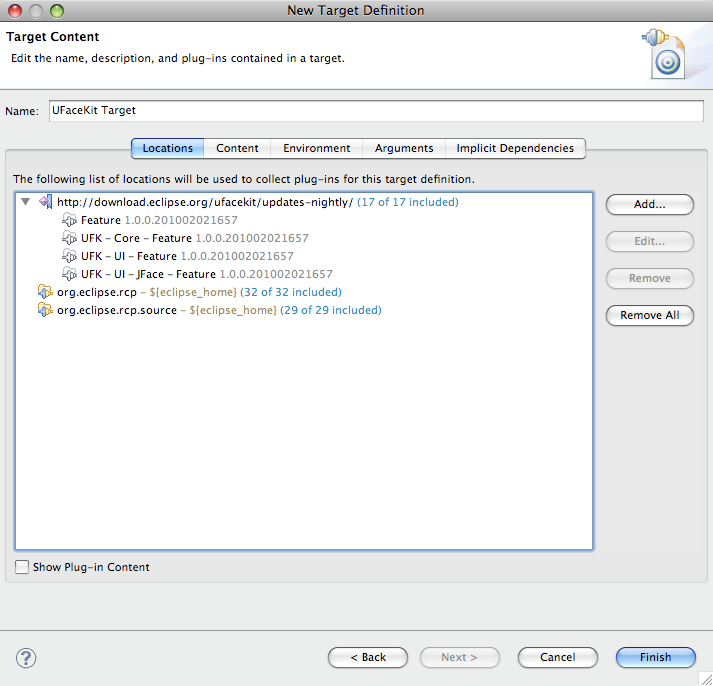
- Enter a name for the target
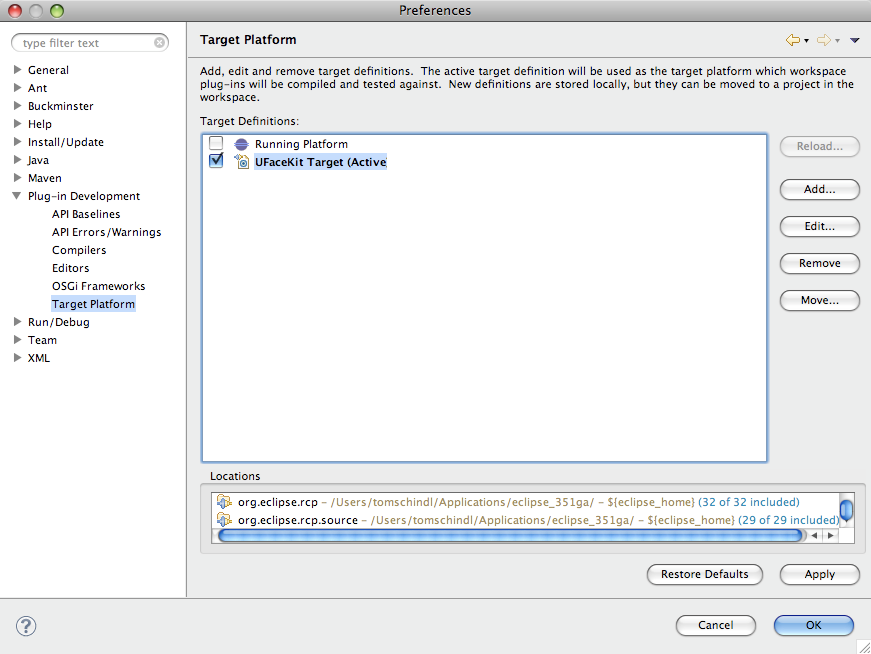
- Activate the new target
 Now we are ready to create our first UFaceKit-Application:
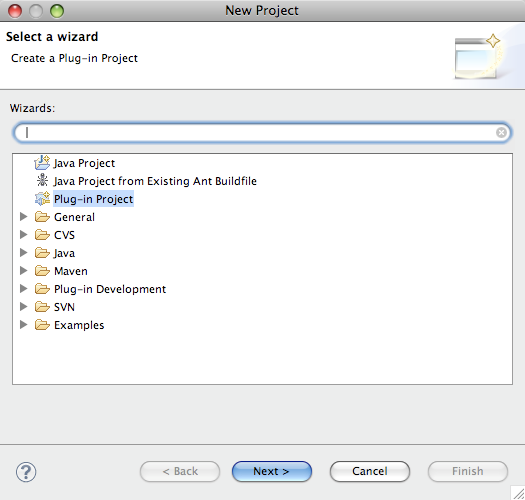
 - Select Plugin-Project
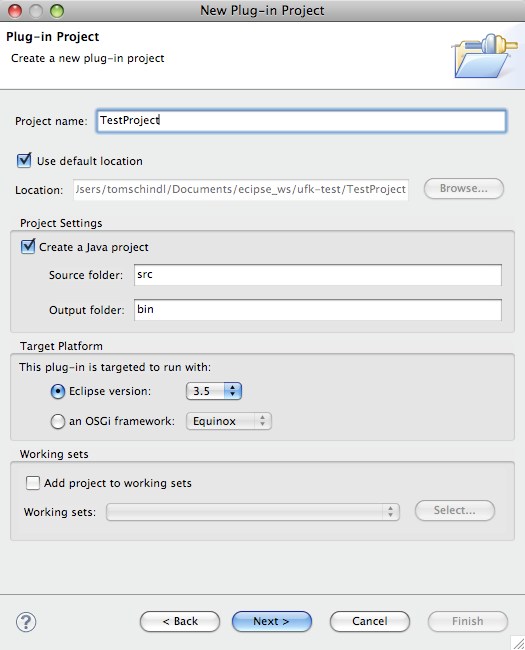
- Give the Project a Name
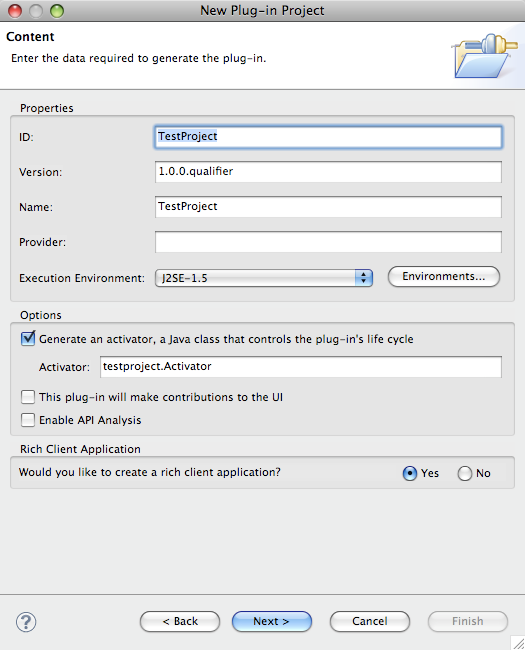
- Uncheck "This plug-in will make contributions to the UI"
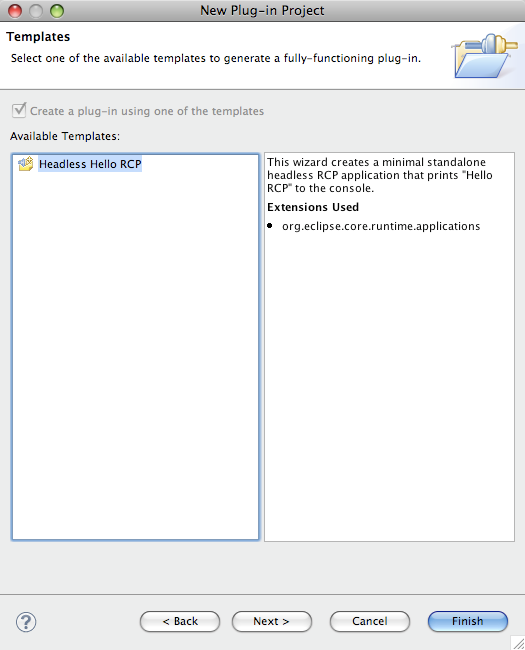
- Select the Headless template
- Open the MANIFEST.MF and add the following Bundles:
- org.eclipse.ufacekit.ui.jface.core
- org.eclipse.ufacekit.ui.core
- org.eclipse.ufacekit.core.util
- org.eclipse.swt;bundle-version
- org.eclipse.ufacekit.core.ubean
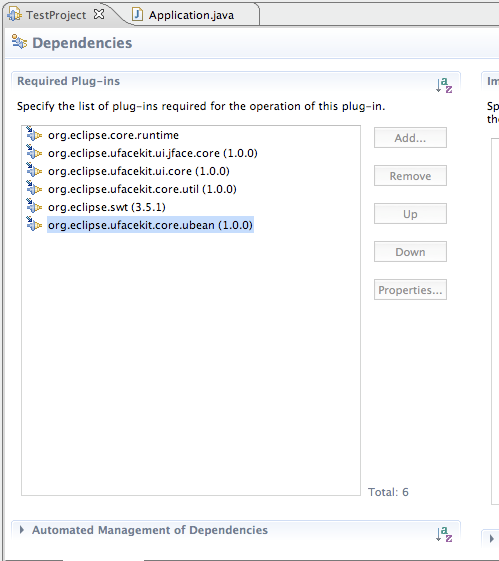
- Open the target platform properties page
The project is now configured appropriately. Now let's create an HelloWorld-Application. Open the Application.java-File and make it look like this:
import org.eclipse.core.runtime.IStatus;
import org.eclipse.core.runtime.Status;
import org.eclipse.equinox.app.IApplication;
import org.eclipse.equinox.app.IApplicationContext;
import org.eclipse.ufacekit.core.util.DataRunnable;
import org.eclipse.ufacekit.ui.core.UIDesktop;
import org.eclipse.ufacekit.ui.core.UIRunnable;
import org.eclipse.ufacekit.ui.core.controls.UIApplicationWindow;
import org.eclipse.ufacekit.ui.core.controls.UIButton;
import org.eclipse.ufacekit.ui.core.controls.UIButton.ButtonUIInfo;
import org.eclipse.ufacekit.ui.core.controls.UIApplicationWindow.ApplicationWindowUIInfo;
import org.eclipse.ufacekit.ui.core.controls.util.Rectangle;
import org.eclipse.ufacekit.ui.core.layouts.UIFillLayout;
import org.eclipse.ufacekit.ui.jface.core.JFaceFactory;

public class Application implements IApplication {

  public Object start(IApplicationContext context) throws Exception {
    JFaceFactory f = new JFaceFactory();

    final UIDesktop dk = factory.newDesktop();

    UIFillLayout layout = f.newFillLayout();
    ApplicationWindowUIInfo d = new ApplicationWindowUIInfo(layout);
    final UIApplicationWindow window = f.newApplicationWindow(dk, d);
    window.setText("UFaceKit - Hello World");

    ButtonUIInfo d1 = new UIButton.ButtonUIInfo(null)
    UIButton button = f.newButton(window, d1);
    button.setText("Click me");
    button.setActionRunnable(new UIRunnable<UIButton>() {
      @Override
      protected IStatus run(UIButton arg0) {
        DataRunnable<Boolean> run = new DataRunnable<Boolean>() {
          public void run(Boolean arg0) {
            if( arg0 ) {
              System.out.println("Good Boy/Girl");
            } else {
              System.out.println("Too bad.");
            }
          }
        }
        dk.showQuestionDialog(window, "Question", "Do you like UFaceKit?", run);
        return Status.OK_STATUS;
      }
    });
    window.open();
    window.setBounds(new Rectangle(500, 400, 400, 100));
    dk.run();

    return IApplication.EXIT_OK;
  }

  public void stop() {
    // nothing to do
  }
}
I think the code is quite self-explanatory but there are some remarkable things you should have noticed:
- No SWT-Imports
- Beside the factory creation all code is UI-Technology agnostic (and it's quite easy to get rid of this by using Declarative Services because UFaceKit is designed with the idea of "UI as a service")
- Blocking operations like showQuestionDialog() get passed a callback - this is needed because one of the target platforms is Web-Browsers who have no concept of an event loop
I'm going to transfer this content over to UFaceKit-Wiki in the following days and write other tutorials on how to exploit other features of UFaceKit like:
- Declarative Styling
- Applying XPaths to your UI-Dom
- Built-in databinding
- ...
One more note: The UFaceKit-SWT port is feature complete and stable since about 6 months and there hardly any todos before releasing 1.0.0 of the SWT-Port so it's really useable and I hope that some people give it a try and report back problems so that I can release a very stable build. The only real blocker for a 1.0.0 release is that the test suite is not completed yet and I won't release before having a complete test suite which helps me to avoid regressions in future versions and ensure compability of future platform ports to the API contract defined.