Blog
Eclipse 4.1: Run your 3.x RCP in 4.1
So there are many 3.x-RCP application and their developers who'd like to run their RCP-Apps ontop of the Eclipse 4.1 RCP (Attention: Don't mix this up with the Eclipse 4 Application Platform - I've blogged about lately). The Eclipse 4.1 RCP allows you to run your RCP applications unmodified ontop of the Eclipse 4 Application Platform - it is more or less the compat layer provided by Eclipse 4.1 (e.g. to make PDE and JDT run ontop of it). The component diagram of such an application looks like this: 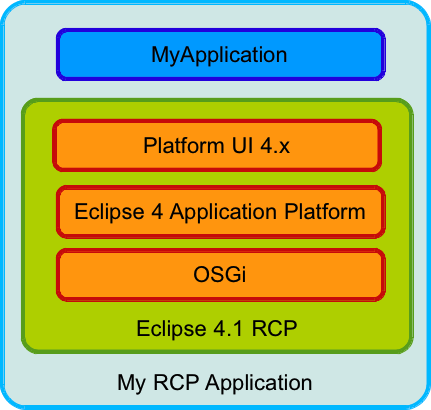 As the standard example I'll use the RCP Mail Demo generated by PDE:
Download a 4.x SDK for your Platform from here (I'd suggest to use the latest I-Build because we are constantly fixing problems)
Use the well known PDE-Wizard to create the Mail Demo (I named it "at.bestsolution.rcp.e4mail") - in case you have an existing RCP Application check it out from your VCS
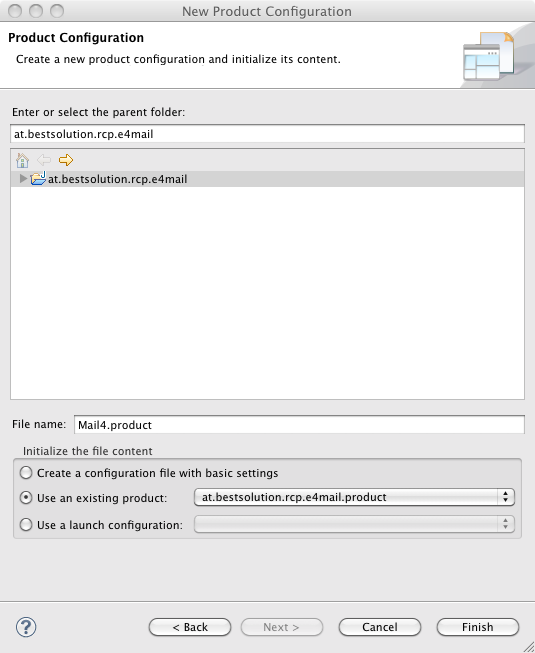
Create a new .product-File (Using File > New > Other ... > Product Configuration) and select "Use an existing product"
Open the plugin.xml and modify the product section to look like this:
       <product
            application="at.bestsolution.rcp.e4mail.application"
            name="RCP Product">
         <property
               name="aboutText"
               value="RCP Mail template created by PDE">
         </property>
         <property
               name="windowImages"
               value="icons/sample2.gif">
         </property>
         <property
               name="aboutImage"
               value="product_lg.gif">
         </property>
         <property
    		   name="applicationXMI"
    		   value="org.eclipse.platform/LegacyIDE.e4xmi">
  		 </property>
  		<property
    		   name="cssTheme"
    		   value="org.eclipse.e4.ui.css.theme.e4_default">
  		</property>
  		<property
    		   name="applicationCSSResources"
    		   value="platform:/plugin/org.eclipse.platform/images/">
  		</property>
    	<property
               name="appName"
               value="RCP Product">
    	</property>
      </product>
Open the .product-File and add the following dependencies:
- org.eclipse.e4.ui.workbench.addons.swt
- org.eclipse.equinox.ds
- org.eclipse.equinox.event
- org.eclipse.equinox.util
- org.eclipse.platform
- org.eclipse.ui.forms
- org.eclipse.ui.intro
Launch it
You should now see an application like this: 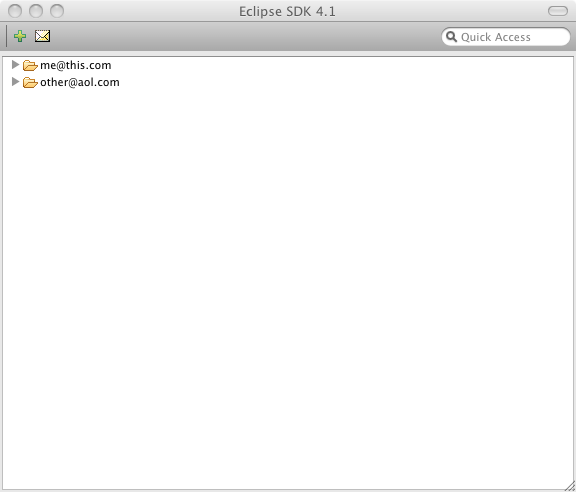 Obviously not what we'd expect because it should look something like this:
 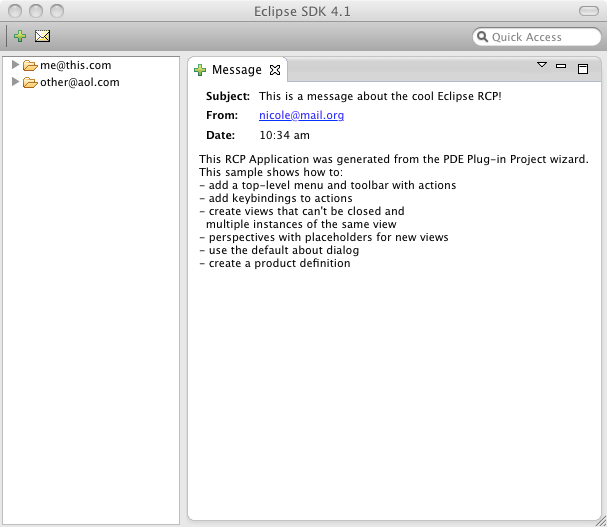 What you are seeing here is a known bug which is fixed in CVS and if you happen to download an I-Build >= I20110630-1005 you should not see the problem any more. The important question for you is. Why you should at least try this? Here are some possible reasons:
- Get a more modern L&F by default like Thomas Kratz describes in his blog
- Provide feedback for things not working to the team so that we can probably even fix them in 4.1.1 so that you can ship your product in autum using Eclipse RCP 4.1.1
- Use the Workbench ModelTooling to better understand your RCP and interact live with it
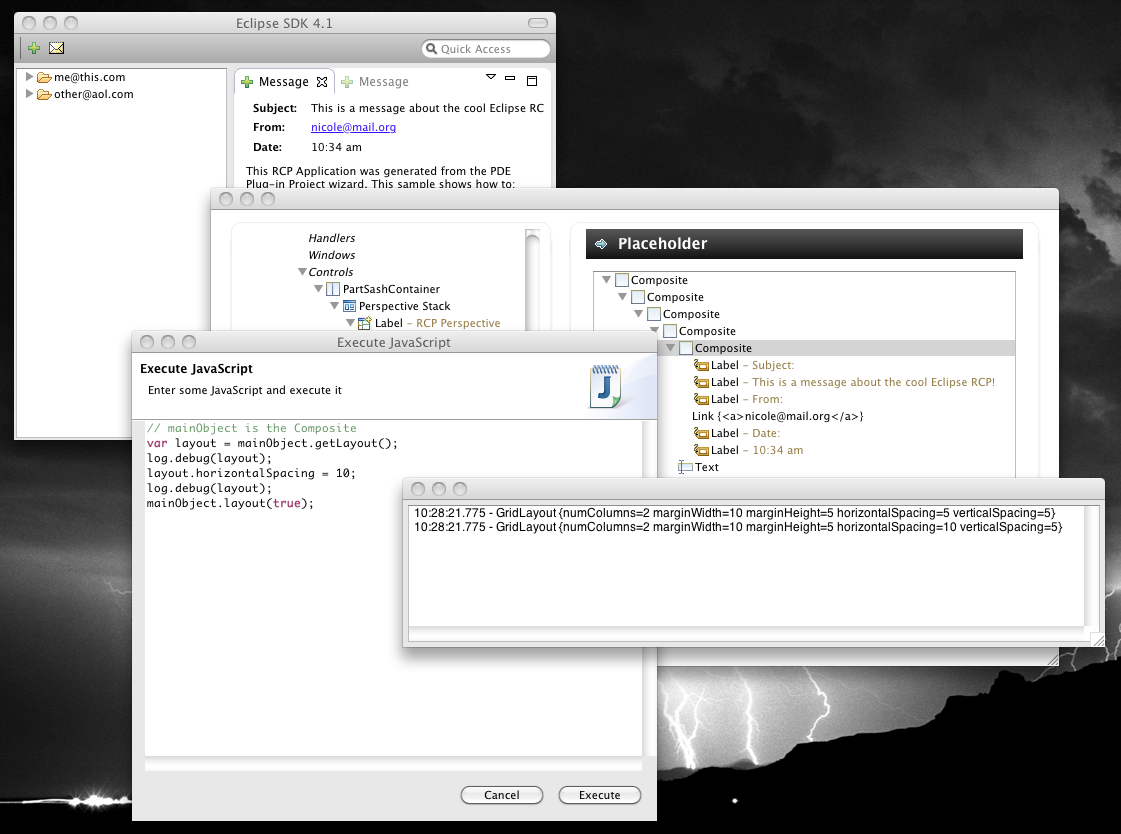
I'd like to discuss the live model tooling a bit because I think it is a very interesting feature provided to Eclipse 4 applications. To some extends it replaces the Plugin-Spy used to in the 3.x world when you are interested where things are coming from, ... but it provides much more. The first thing you need to do get the tooling is to install it from the e4-Update-Site: 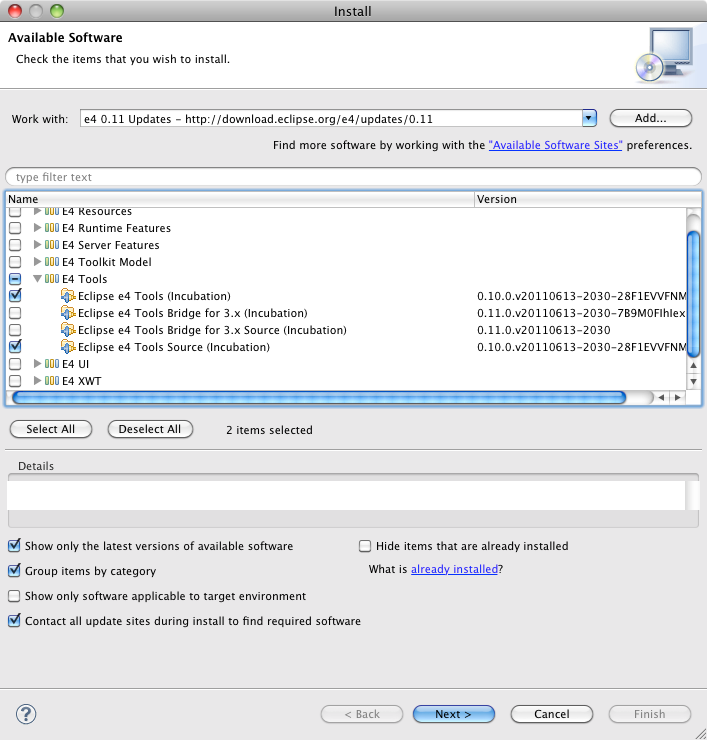 If you now add the following bundles to your launch config:
- org.eclipse.e4.tools.emf.liveeditor
- org.eclipse.e4.tools.emf.ui
- org.eclipse.e4.tools.emf.ui.script.js
and hit the "Add Required Plug-ins" and launch the application you can launch the interactive tooling using ALT+SHIFT+F9 which opens an extra dialog like this: 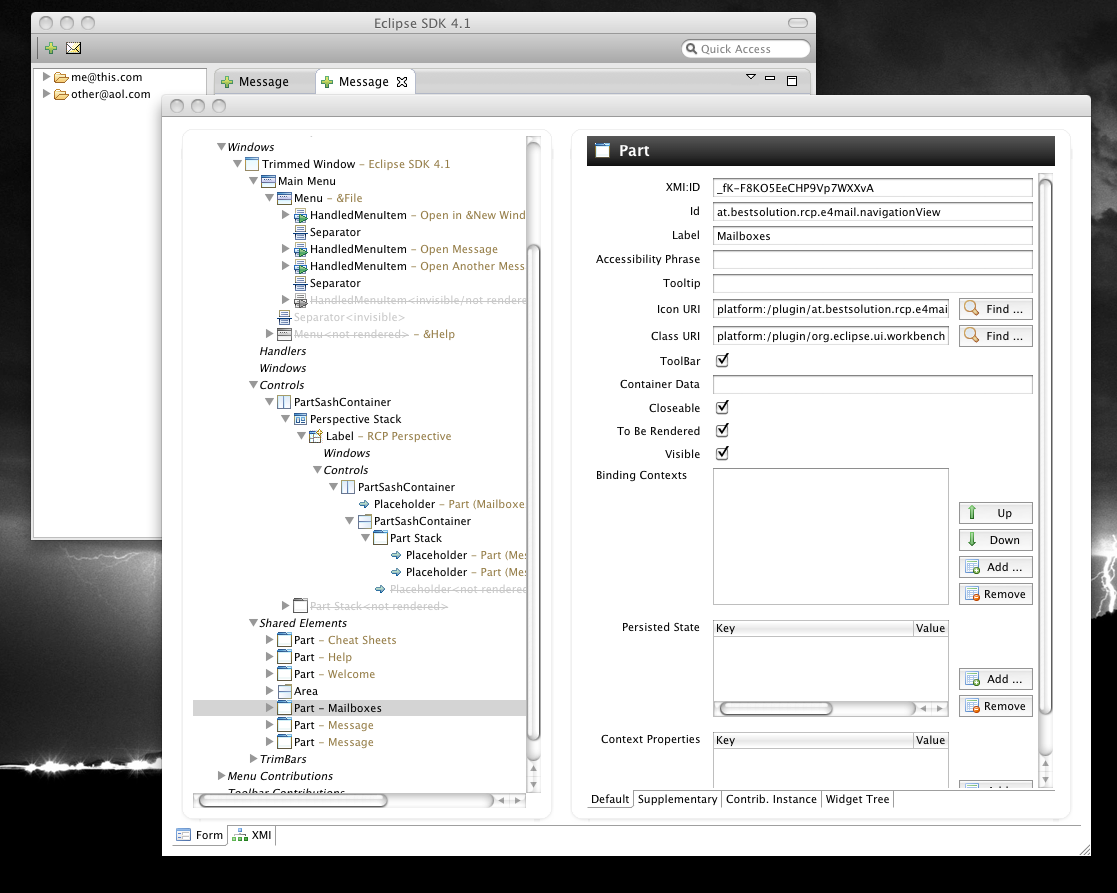 The really interesting thing with the e4 live instance tooling is it not only a passive tool but allows you to interact with the running application instance:
- Using the UI (moving nodes in the tree on the left, enter new values into the form fields on the right)
- Using JavaScript