Blog
Eclipse on JavaFX - Get Dark - The power of JavaFX CSS
This is just a short post based on a question I received on twitter: Can one use JavaFX CSS to theme the IDE? Answer: Of course you can! I don't know myself why people like the dark themes so much but well some do and making your IDE go black with SWT on JavaFX is no more than those 5 lines of CSS:
.root {
    -fx-base: rgb(50, 50, 50);
    -fx-background: rgb(50, 50, 50);
    -fx-control-inner-background:  rgb(50, 50, 50);
}
and you get this 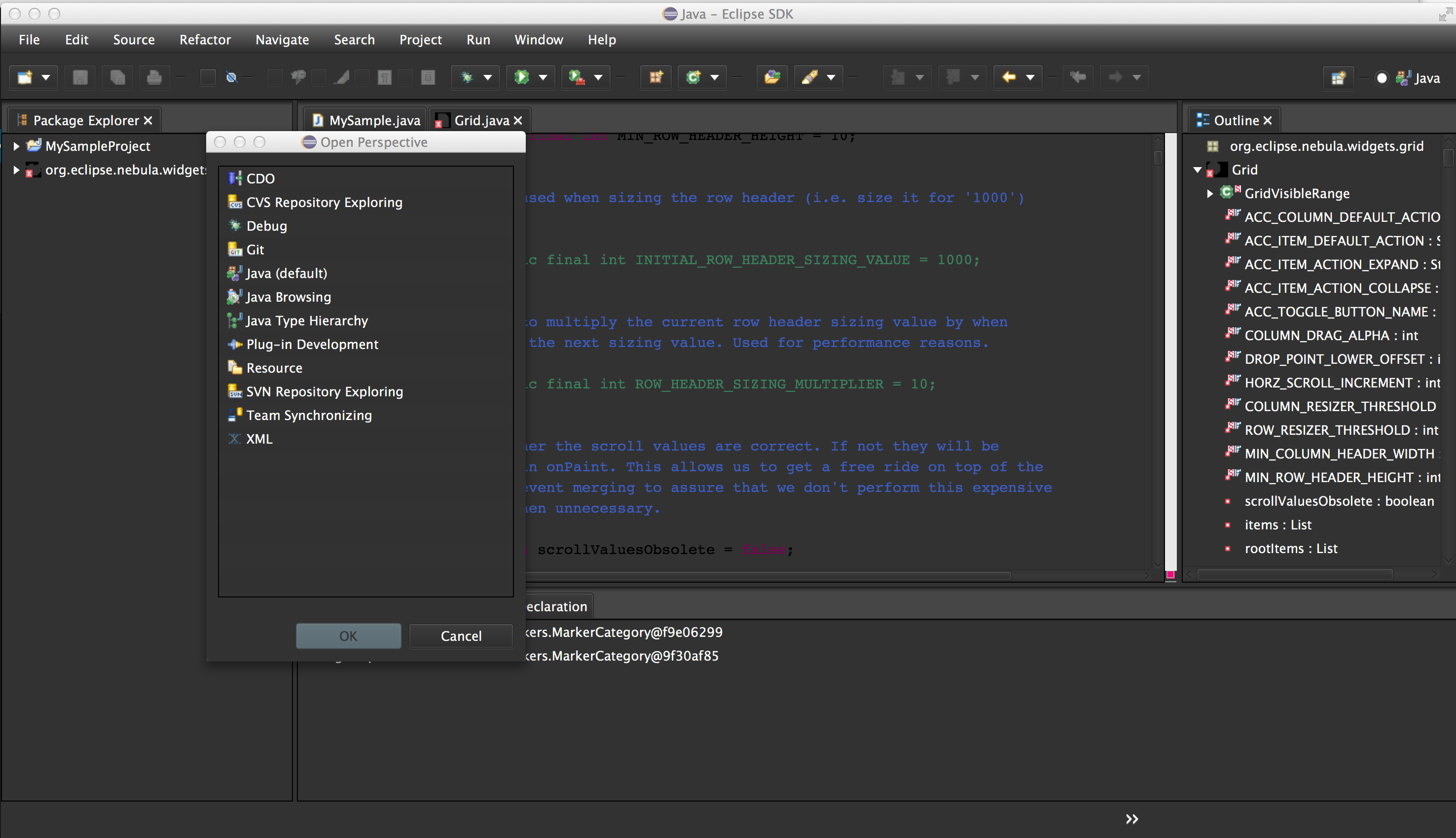 use that
.root {
    -fx-base: #7eaacc;
    -fx-background: #7eaacc;
    -fx-control-inner-background: white;
}
and you get 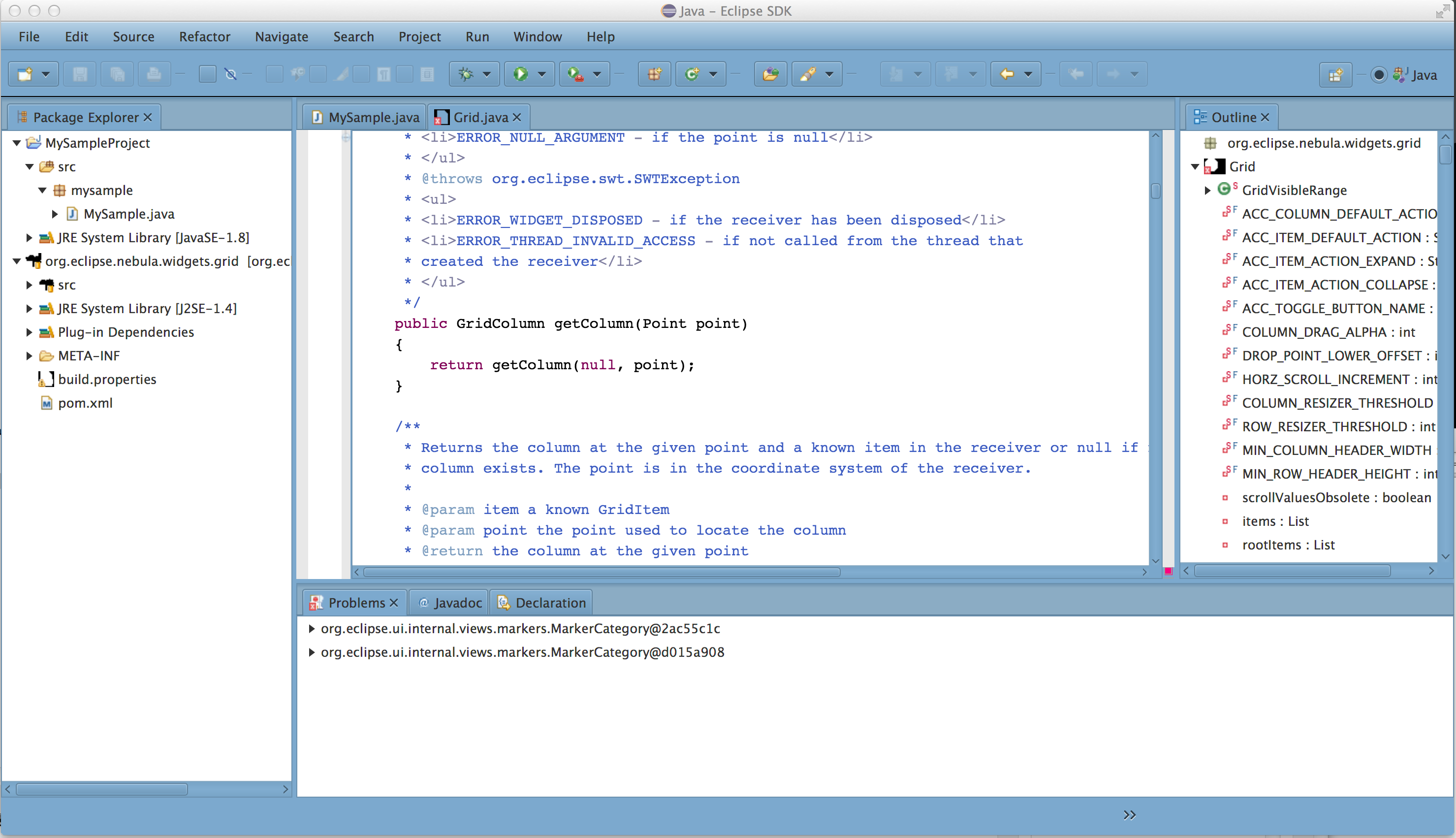 Not everything is perfectly ok because it looks like some parts of the IDE are setting their color in SWT anyways I think it shows the power of JavaFX CSS. Imagine what a real designer could do to your (commercial) IDE if it gets based on SWT on JavaFX. I think the SWT CSS people can learn some bits from this. JavaFX derives ALL colors e.g. that the tree-text-color is white from those 3 values! BTW the file displayed in the center has approximately 10 000 lines of code and it scrolls instantly - more on that in another post. Anyways that's it for today!