Blog
e(fx)clipse 1.1 – New features – CSS-Editor improvements
Having a clever CSS-Editor at hand is crucial when developing JavaFX applications so we once more worked a bit in this central utility for e(fx)clipse 1.1
CSS-Editor improvements
Support for @font-face
The 1.0 CSS-Editor completely freaked out if you tried to add an @font-face definition to load external fonts with the help of your stylesheet. We have not only fixed the problem but also added
- autocomplete
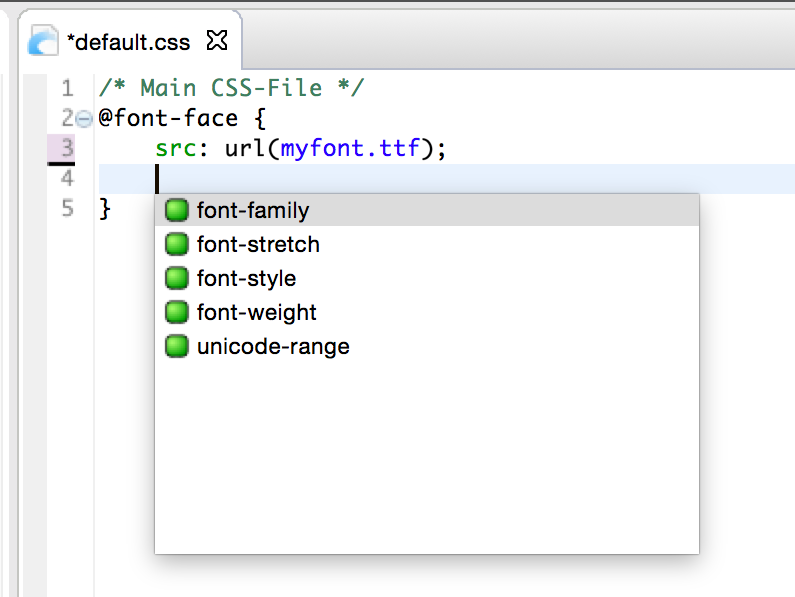
- simply validation rules
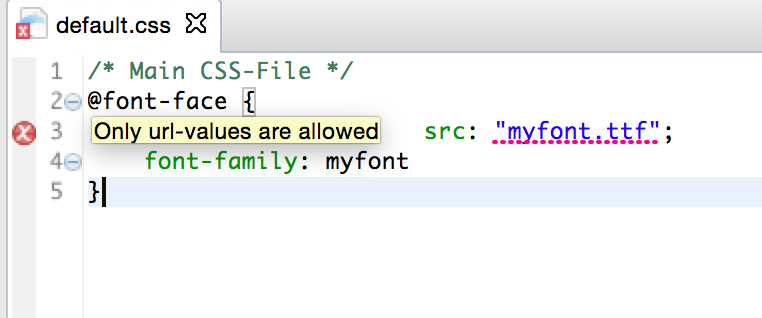
Support for predefined color properties
JavaFX CSS has a very special feature allowing you to define color property-variables which you can reference in an other property's value so you frequently see something like this:
.root {
  -fx-base: black;
}

.myrule {
  -fx-background-color: derive(-fx-base, 50%);
}
The CSS-Editor in 1.0 croaked on the -fx-base definition because -fx-base is not a property on any node. In 1.1 the editor is smart enough to understand that -fx-base, -fx-control-inner-background, ... and many more a color-property-variables and will not mark them as invalid. 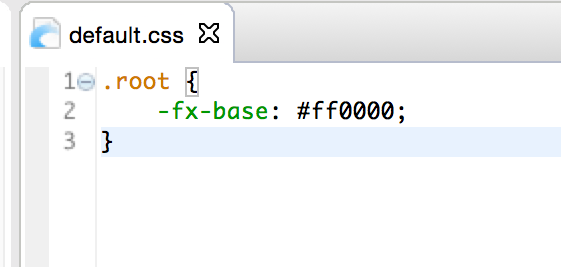
Selectively suppress warnings
The CSS-Editor is smart and if it detects that a scenegraph element hasn't got the property you are using it issues a warning which generally is good because e.g. you might have a spelling error e.g. you wrote -fx-background-colour (british english) instead of -fx-background-color (american english). Yet there are situations where you want to suppress a warning because you know better than the CSS-Editor. The most important ones are:
- You define custom color property variables
- You use an external library who defines custom css properties but does not provide a cssext-File to help the e(fx)clipse CSS editor
In 1.1 we allow you to suppress those warnings selectively by simply adding @SuppressWarning in a comment above the property like this:
.root {
 /* SuppressWarning */
 -efx-color-constant: #ff0000;
}
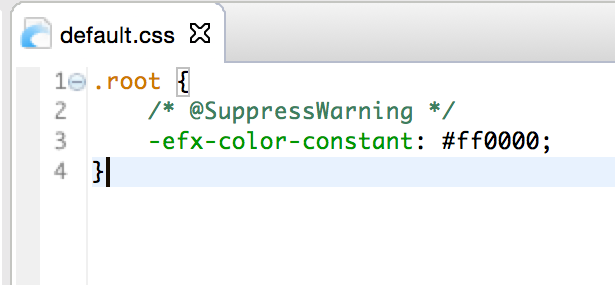
Do not validate all css-Files
In 1.0 the CSS-Editor has been too greedy validating all CSS-Files in your project e.g. if you had a CSS-File in your project to style a HTML-page it got validated and naturally showed a vast number of problems. In 1.1 we only validate files part of the build path of your project and leave out all others.
Co-Existence with WST-CSS-Editor
We improved the co-existence in cases when the WST-CSS-Editor has been installed as well. In 1.0 if both had been installed CSS-Files have been opened by default ALWAYS with the WST-Editor. In 1.1 we added a ITextContentDescriber which detects if the CSS-File:
- Holds a header which holds the term JavaFX CSS
- Any of the properties in the first 20 lines starts with -fx
and then opens in the e(fx)clipse CSS-Editor