Blog
SWTonFX - JavaFX Canvas with many clipping calls == unacceptable slow
Inspired by a twitter discussion started by Andres Almiray if NatTable could be run in JavaFX application I checked out the sources, added some missing API to SWTonFX GC implementation and voila it renders a NatTable sample as the SWT version does 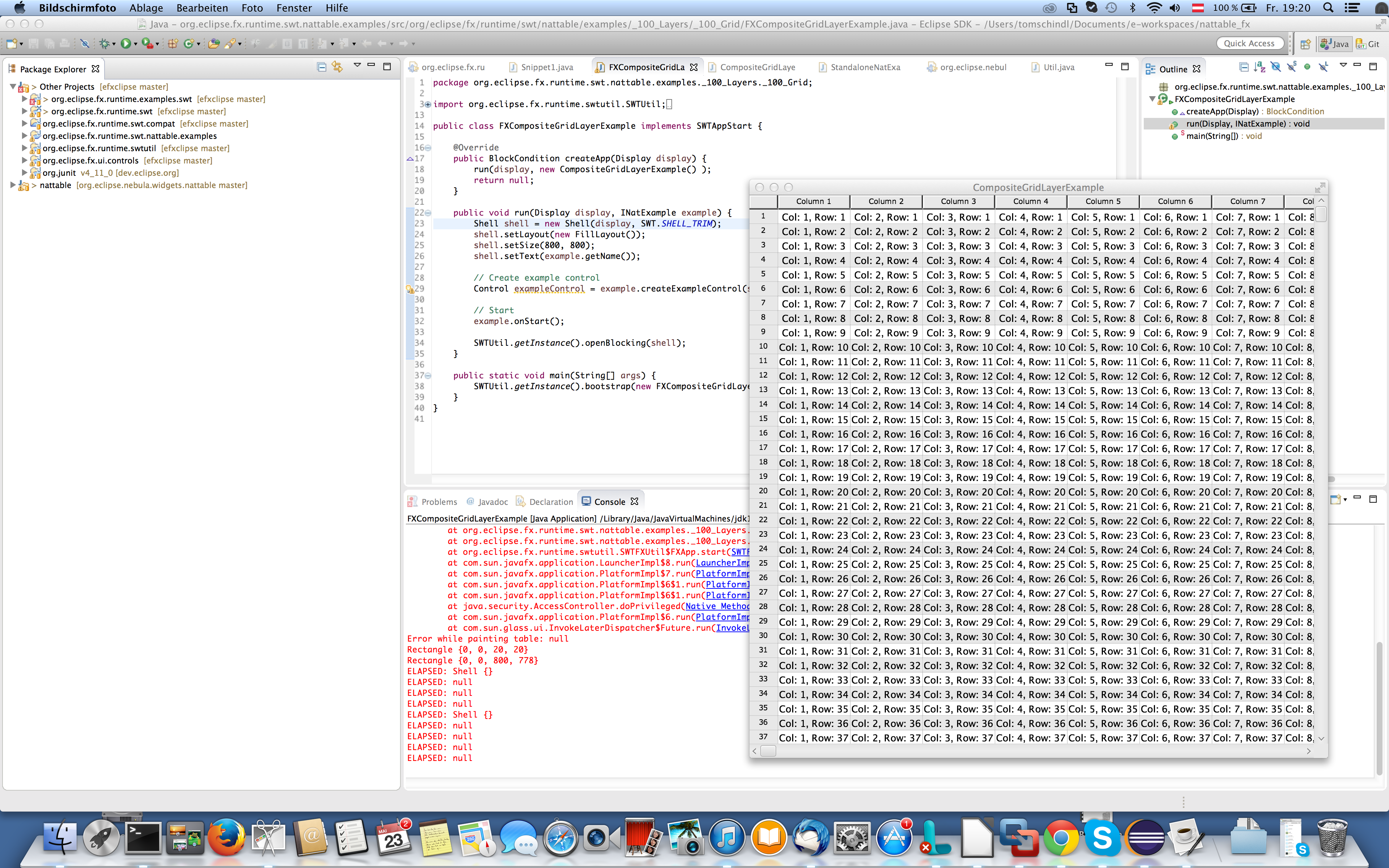
The problem
The "only" problem is it takes an unacceptable time to do - so i fired up JavaMissionControl to see where time is spent but there was no high CPU consumption, hot methods, ... nothing really problematic showed up so i started add some System.out.println() into the code and the rendering calls (stroke-line, draw-rect, draw-text, ...) themselves finish in no time - that mapped quite good to the output JavaMissionControl showed to me. I started digging deeper, going through the NatTable rendering code to see what calls they do on the SWT-GC and the only really interesting stuff I found was that they'll make heavy use of clipping GC#setClipping(Region) - for the NatTable above I counted approximately 1,500 clipping calls who turned out to be the root of the problem.
SWT-Canvas & GC in SWTonFX
Before we proceed with the problem above, it makes sense to understand how the GC is implemented in SWTonFX. By default SWTonFX makes use of the JavaFX SceneGraph whenever possible e.g. to construct controls (frankly we simply use the controls who are part of JavaFX) but if someone attaches a SWT.Paint-Listener we detect that and embed a JavaFX canvas into the control space and provide you a GC implementation which works like this:
public class CanvasGC implements /*Internal API*/ DrawableGC {
   private Canvas canvas;

   public CanvasGC(javafx.scene.canvas.Canvas fxCanvas /* ... */) {
     this.canvas = canvas;
   }

   public void fillRectangle(int x, int y, int width, int height) {
     canvas.getGraphicsContext2D().fillRect(x, y, width, height);
   }

   // ...
}
and when a GC is created it does
public class GC extends Resource {
  private DrawableGC gc;

  public GC(Drawable drawable) {
    // ...
    gc = drawable.internal_new_GC();
  }

  public void fillRectangle(int x, int y, int width, int height) {
    gc.fillRectangle(x,y,width,height);
  }
}
which is implemented e.g. for Composite with:
public class Composite extends Scrollable {
  public DrawableGC internal_new_GC() {
    if( canvas == null ) {
      return super.internal_new_GC();
    } else {
      return new CanvasGC(canvas,
                          getFont(),
                          getBackground(),
			  getForeground());
    }
  }
}
This architecture makes the GC stuff extremely flexible because we can have different GC implementation strategy based on the control.
JavaFX Canvas and clipping
Clipping on JavaFX canvas works a bit differently than on the GC API and the following the code I came up with to implement the behavior:
public class CanvasGC implements /*Internal API*/ DrawableGC {
  // ...

  public void setClipping(Region region) {
    setClipping((PathIterator)(region != null ? region.internal_getNativeObject().getPathIterator(null) : null));
  }

  private void setClipping(PathIterator pathIterator) {
    if( activeClip ) {
      canvas.getGraphicsContext2D().restore();
    }

    if( pathIterator == null ) {
      return;
    }

    activeClip = true;

    float coords[] = new float[6];
    GraphicsContext gc = canvas.getGraphicsContext2D();
    gc.save();
    gc.beginPath();

    float x = 0;
    float y = 0;


    gc.moveTo(0, 0);

    while( ! pathIterator.isDone() ) {
      switch (pathIterator.currentSegment(coords)) {
        case PathIterator.SEG_CLOSE:
          gc.lineTo(x, y);
          break;
        case PathIterator.SEG_CUBICTO:
          gc.bezierCurveTo(coords[0], coords[1], coords[2], coords[3], coords[4], coords[5]);
          break;
        case PathIterator.SEG_LINETO:
          gc.lineTo(coords[0], coords[1]);
          break;
        case PathIterator.SEG_MOVETO:
          gc.moveTo(coords[0], coords[1]);
          x = coords[0];
          y = coords[1];
          break;
        case PathIterator.SEG_QUADTO:
          gc.quadraticCurveTo(coords[0], coords[1], coords[2], coords[3]);
          break;
        default:
          break;
      }
      pathIterator.next();
    }
    gc.clip();
    gc.closePath();
  }
}
Now I don't know exactly why this is so damn slow in JavaFX but the fact is - on JavaFX8 this makes JavaFX Canvas unusable to implement the GC for SWTonFX - if you know there are going to be many clipping calls. Enough for today - tomorrow I tell you the solution I'm currently targeting.