Blog
How to create an editor with syntax highlighting for Java
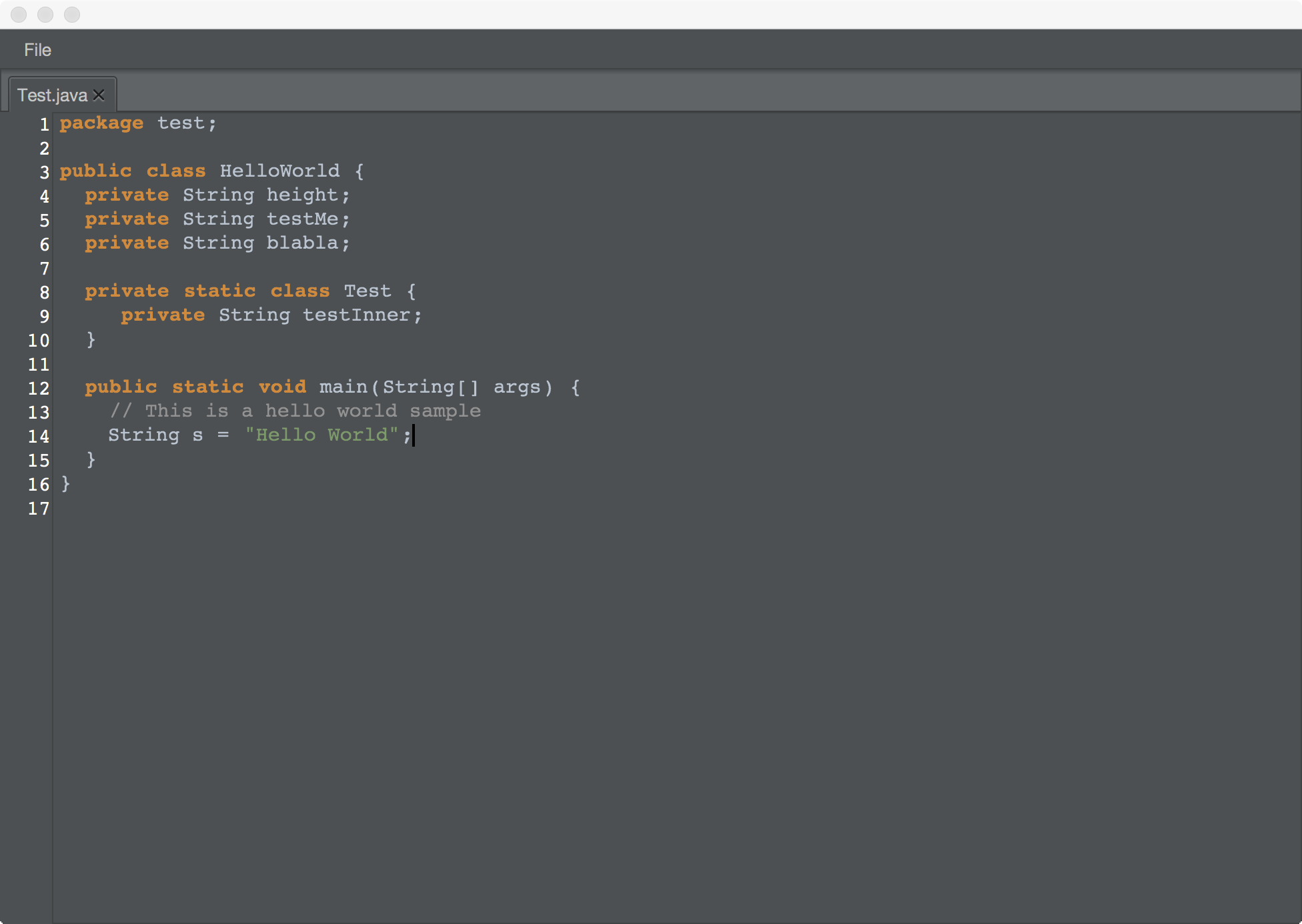
I see many people at stackoverflow who ask for an editor who does syntax highlighting in their JavaFX applications. As e(fx)clipse runtime has such a control available and the Eclipse Text Framework has all the tokenizing and reconcoling infrastructure I thought it might be a good idea to write up how you can get an application like this which is plain old Java application (NO OSGi required!) 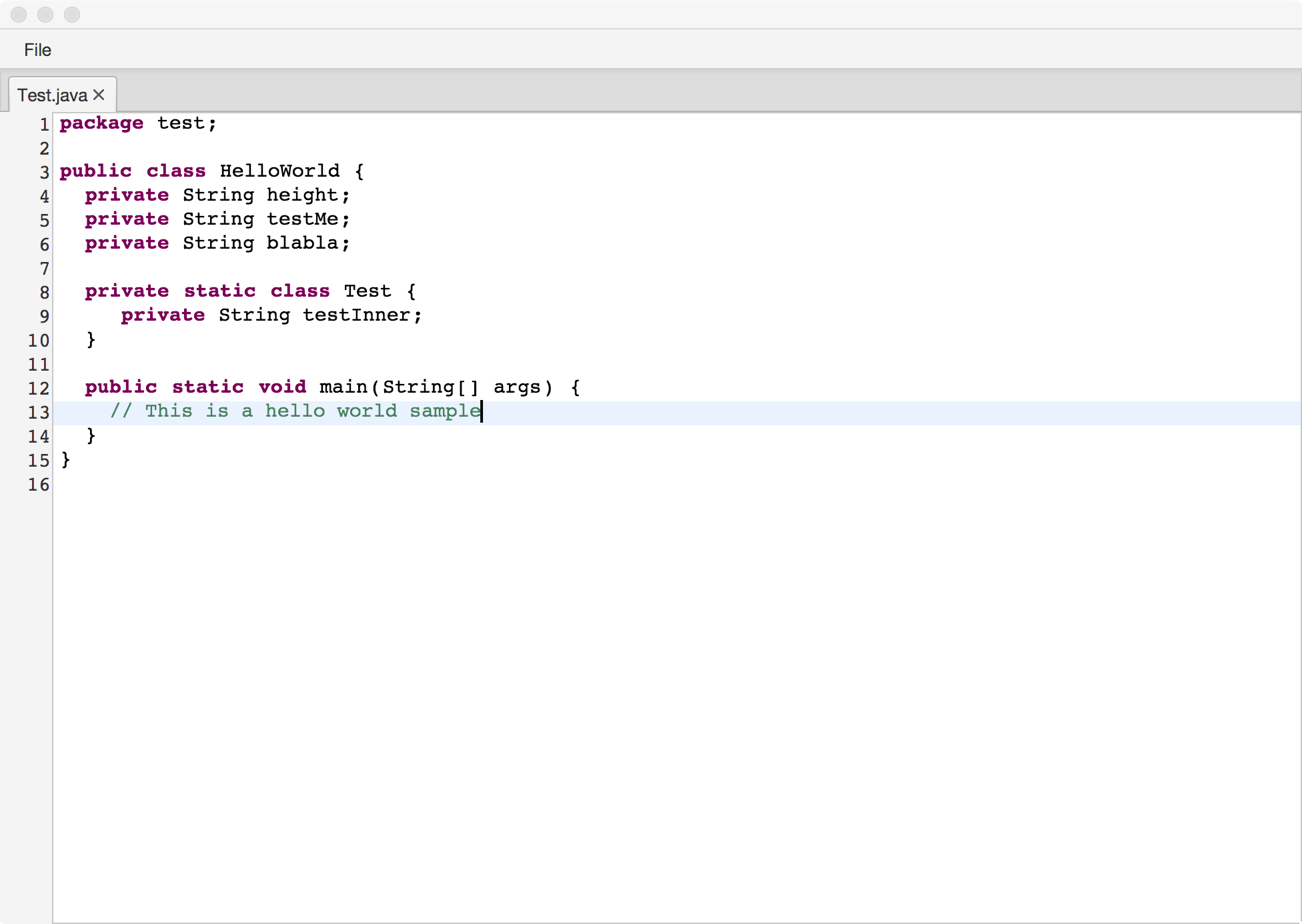
 To get this going you need to:
- Download Java8u40 (at the time of this writing you need to use an EA build)
- Download e(fx)clipse all-in-one downloads
- Clone the following git-repositories:
- You import from:
- eclipse.platform.text.git
- org.eclipse.text
- org.eclipse.efxclipse.git
- demos/CodeEditor
- bundles/runtime/org.eclipse.fx.core
- bundles/runtime/org.eclipse.fx.ui.controls
- bundles/runtime/org.eclipse.fx.ui.services
- experimental/compensator/org.eclipse.fx.text
- experimental/compensator/org.eclipse.fx.text.ui
- eclipse.platform.text.git
You can now start studying the code in the CodeEditor project. Most of the hard work is done by the libraries for you so in general doing syntax highlighting with the help of e(fx)clipse runtime components involve the following (custom) code:
- Implementation of
IPresentationDamagerandIPresentationRepairer - Implementation of an
ITokenScanner - Implementation of an
IDocumentPartitioner - A CSS-File to style the tokens
This sounds hard than it really is because 95% of the code already available e.g. in Eclipse JDT can be reused (notice the copyright header in all the text-package classes!), I won't go into the details about the Eclipse Text framework in this post as I'm not an expert myself on it. The only thing I'd like you to show is how you connect all the text parsing with the JavaFX control coming from e(fx)clipse.
public SourceViewer createViewer(Path p) {
  SourceViewer viewer = new SourceViewer();
  SourceViewerConfiguration configuration = createConfig();
  Document document = createDocument(p);
  IDocumentPartitioner partitioner = createPartitioner();

  document.setDocumentPartitioner(configuration.getConfiguredDocumentPartitioning(viewer), partitioner);

  document.setDocumentPartitioner(partitioner);
  partitioner.connect(document);

  viewer.configure(configuration);
  viewer.setDocument(document);
  return viewer;
}

private SourceViewerConfiguration createConfig() {
  return new JavaSourceConfiguration();
}

private IDocumentPartitioner createPartitioner() {
  return new FastPartitioner(new FastJavaPartitionScanner(), new String[] {
    IJavaPartitions.JAVA_DOC,
    IJavaPartitions.JAVA_MULTI_LINE_COMMENT,
    IJavaPartitions.JAVA_SINGLE_LINE_COMMENT,
    IJavaPartitions.JAVA_STRING, IJavaPartitions.JAVA_CHARACTER });
}

private Document createDocument(Path p) {
  return new Document(getFile(p));
}

private String getFile(Path p) {
  try (BufferedReader reader = Files.newBufferedReader(p)) {
    StringBuilder b = new StringBuilder();
    String line;
    while ((line = reader.readLine()) != null) {
      b.append(line + "\n");
    }
    reader.close();
    return b.toString();
  } catch (IOException e) {
    // TODO Auto-generated catch block
    e.printStackTrace();
  }
  return "";
}
if you've ever written an styled-text editor for Eclipse the above code should look fairly familiar to you. and to do the highlighting you need to attach a CSS-Stylesheet like this:
.java.styled-text-area .selection-marker {
	-fx-background-color: #2b5696;
}

.java.styled-text-area .java_string {
	-styled-text-color: #7c986c;
}

.java.styled-text-area .java_default {
	-styled-text-color: #b8c4d1;
}

.java.styled-text-area .java_annotation {
	-styled-text-color: rgb(200, 200, 200);
}

.java.styled-text-area .java_keyword {
	-styled-text-color: #d78b40;
	-fx-font-weight: bold;
}

.java.styled-text-area .java_operator {
	-styled-text-color: #b8c4d1;
}

.java.styled-text-area .java_bracket {
	-styled-text-color: #b8c4d1;
}

.java.styled-text-area .java_keyword_return {
	-styled-text-color: #d78b40;
	-fx-font-weight: bold;
}

.java.styled-text-area .java_comment_task_tag {
	-styled-text-color: rgb(127, 159, 191);
}

.java.styled-text-area .java_doc_link {
	-styled-text-color: #74a567;
	-fx-font-weight: bold;
}

.java.styled-text-area .java_doc_default {
	-styled-text-color: #74a567;
}

.java.styled-text-area .java_multi_line_comment {
	-styled-text-color: #929292;
}

.java.styled-text-area .java_single_line_comment {
	-styled-text-color: #929292;
}

.java.styled-text-area .java_doc_tag {
	-fx-fill: #74a567;
	-fx-font-weight: bold;
}