Blog
e(fx)clipse 1.0 - New Features - CSS Gradient Editor
e(fx)clipse 1.0.0 is just around the corner and scheduled to be released on August 15th, while we are polishing the final bits, the Eclipse IP-Team checks our IP-Log, ... . I'd like to introduce you the new and exiting features that we worked on in the last months since we released 0.9.0 in February.
Blog series
Other posts in this series are:
- e(fx)clipse 1.0 - New Features - Generate JavaFX Properties accessors
- e(fx)clipse 1.0 – New Features - LayoutPanes can be controlled by CSS
- e(fx)clipse 1.0 - New Features - CSS Gradient Editor
- e(fx)clipse 1.0 – New Features - Drag and Drop for e4/JavaFX applications
- e(fx)clipse 1.0 – New Features – The clever CSS-Editor who got more clever
- e(fx)clipse 1.0 – New Features – StyledText control to build a code editor (framework)
- e(fx)clipse 1.0 – New Features – Integration of JavaFX source and property JavaDoc
- e(fx)clipse 1.0 – New Features – Consume none OSGi-Artifacts from a maven repository
CSS Gradient Editor
When defining CSS-Stylesheets one sometimes wants to define a gradient instead of a solid background color. While one can easily remember how to define color e.g. by using the hex encoding. Defining a linear or radial gradient is more complex and you most likely need a WYSIWYG-Editor. So a good CSS-Tool should provide you such an editor.
- Open a css file and create a property who expects a paint e.g.
-fx-background-color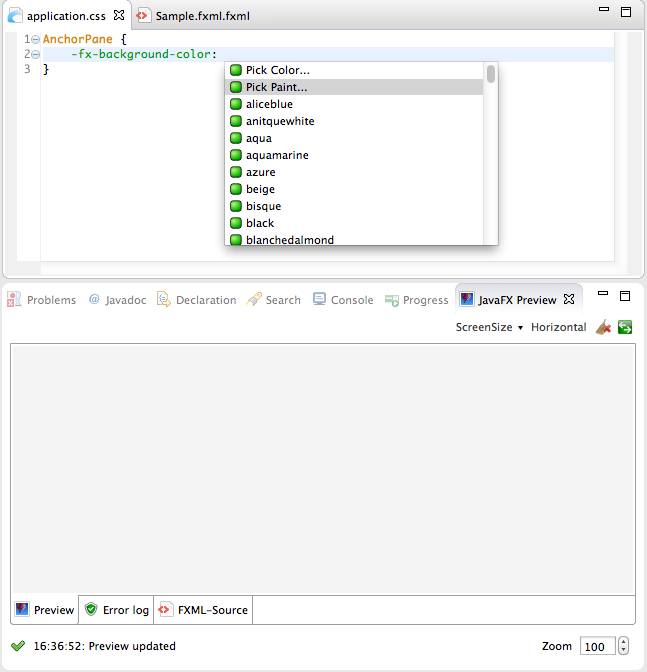
- In the proposal select "Paint..." which will open a Paint-Editor
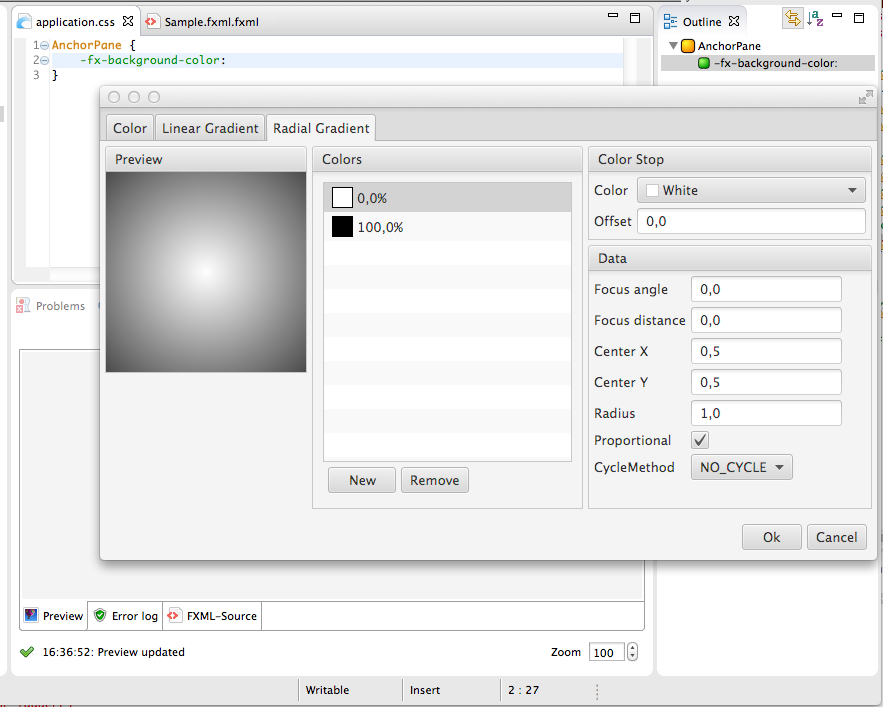
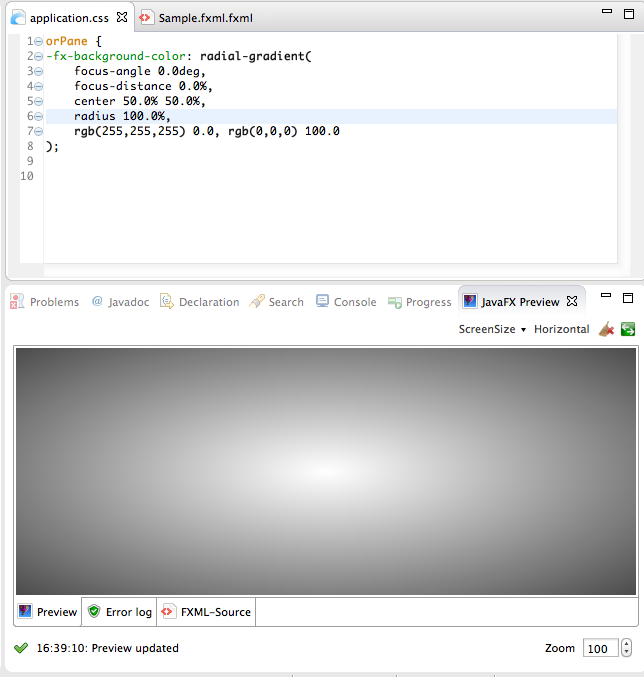
- Once you are happy with your gradient. Hit ok and the gradient is inserted into your CSS-Stylesheet and in case your FXML-File is connected to the currently edited stylesheet the preview will update itself