Blog
e(fx)clipse 1.0 - New Features - StyledText control to build a code editor (framework)
e(fx)clipse 1.0.0 is just around the corner and scheduled to be released on August 15th, while we are polishing the final bits, the Eclipse IP-Team checks our IP-Log, ... . I'd like to introduce you the new and exiting features that we worked on in the last months since we released 0.9.0 in February.
Blog series
Other posts in this series are:
- e(fx)clipse 1.0 - New Features - Generate JavaFX Properties accessors
- e(fx)clipse 1.0 – New Features - LayoutPanes can be controlled by CSS
- e(fx)clipse 1.0 – New Features – CSS Gradient Editor
- e(fx)clipse 1.0 – New Features - Drag and Drop for e4/JavaFX applications
- e(fx)clipse 1.0 – New Features – The clever CSS-Editor who got more clever
- e(fx)clipse 1.0 – New Features - StyledText control to build a code editor (framework)
- e(fx)clipse 1.0 – New Features – Integration of JavaFX source and property JavaDoc
- e(fx)clipse 1.0 – New Features – Consume none OSGi-Artifacts from a maven repository
StyledText control to build a code editor (framework)
We've been experimenting with the new Text-API part of OpenJFX8 since its inception in the first weekly builds. In the 1.0 cycle we've moved the code from an external repository to e(fx)clipse and improved it adding support for:
- Copy & Paste
- Selection
- Line numbers
- use CSS for text-styles
The API is not yet complete and there are many many many features missing but you can already build really cool and fancy IDE like applications. The control still has some bugs but we decided to include the current version so that you can give it a spin and provide feedback or even contribute fixes, features, ... . This is a simple Java-Editor built with the StyledText-Control and the Eclipse-Text-Framework who does the paritioning, ... of the sourcecode 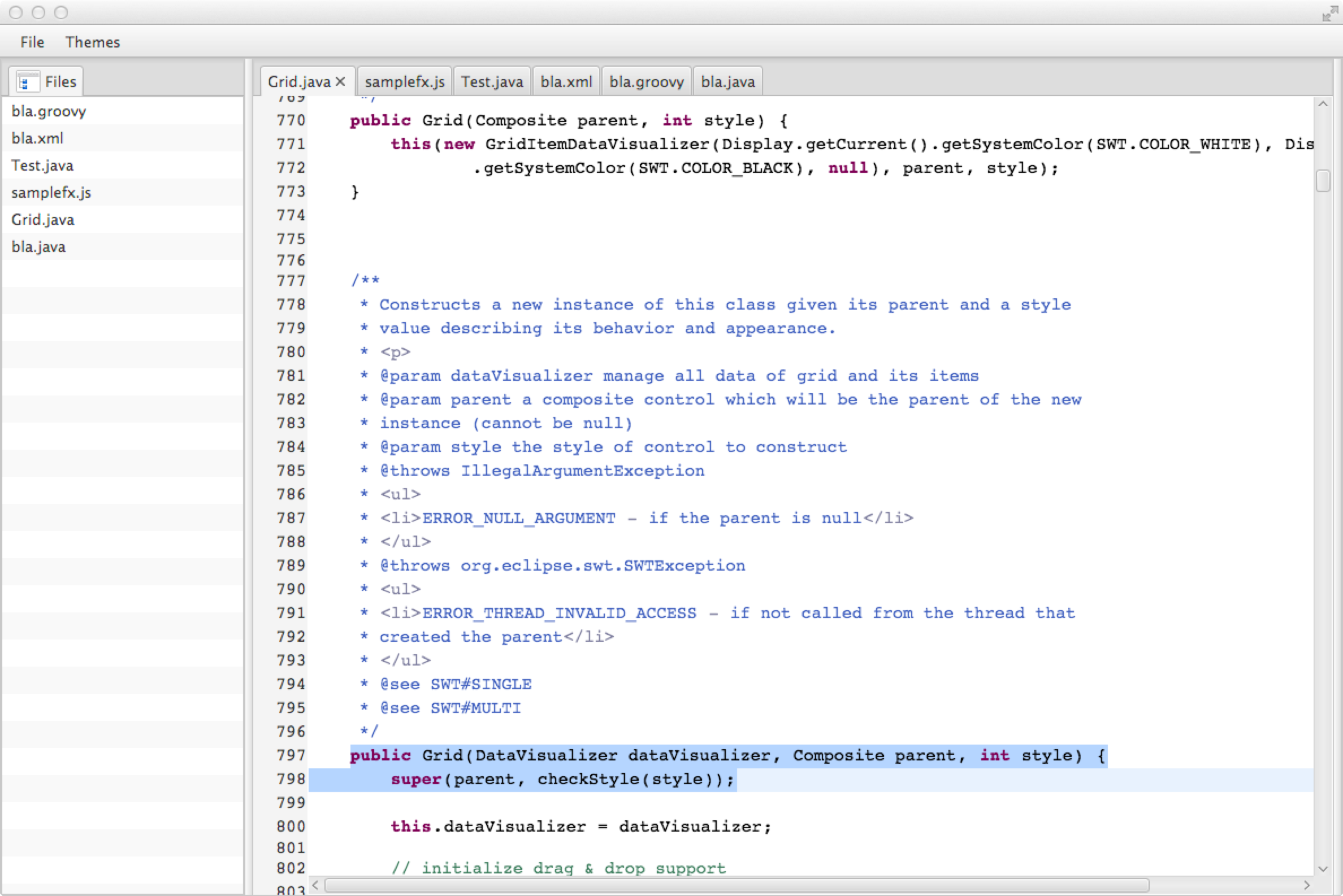 and because all colors are not hard coded into the the UI nor set in preferences like in e.g. in Eclipse you can flip the theme and your editor will renderer in a dark theme like this (I used the same colors as IntelliJ IDEA in Dracula mode)
 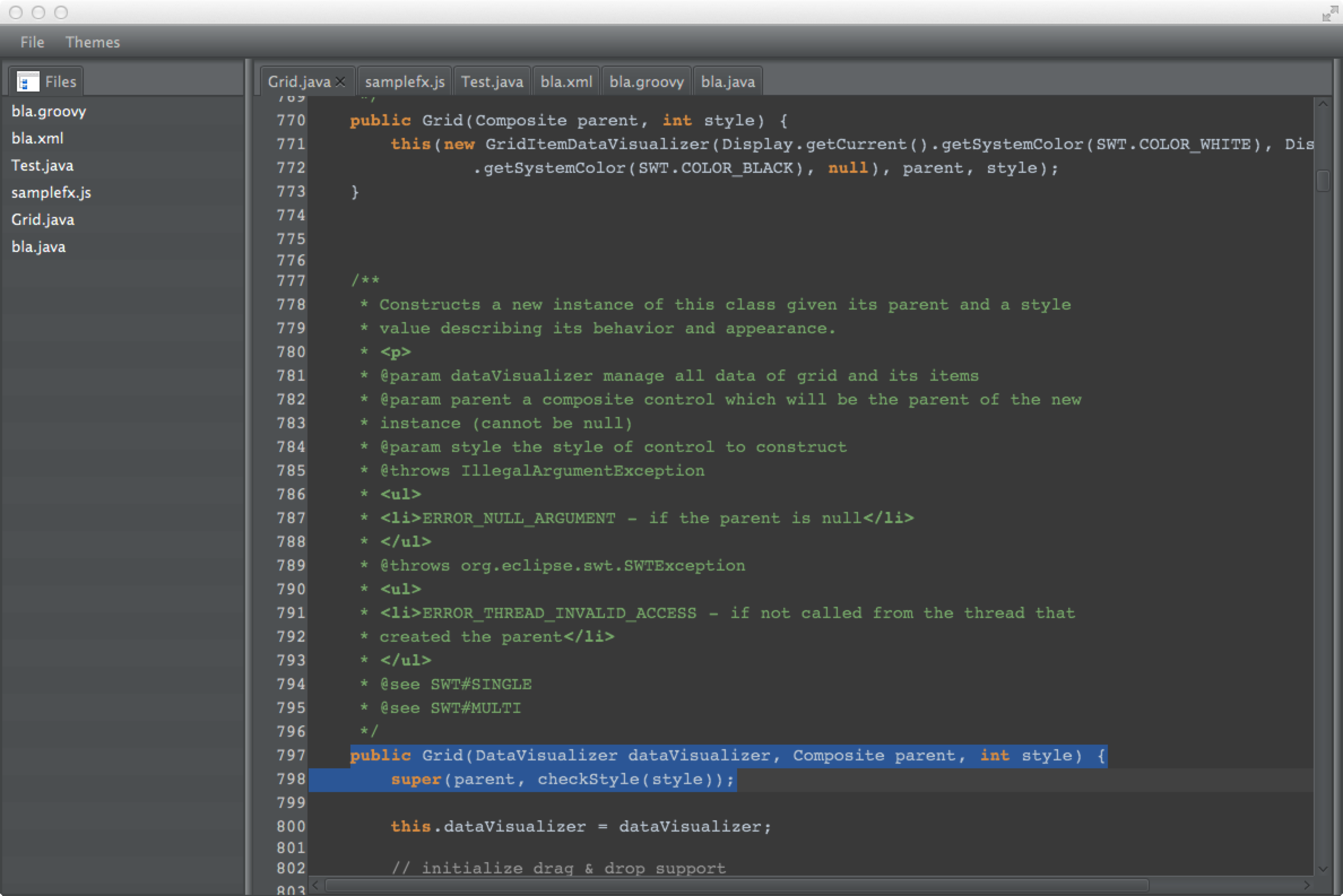 The cool thing about the syntax highlighting is that you need to write (fairly) no code because we have a DSL defined via Xtext who allows you specify the highlighting rules to apply. Look for example at this groovy-file
 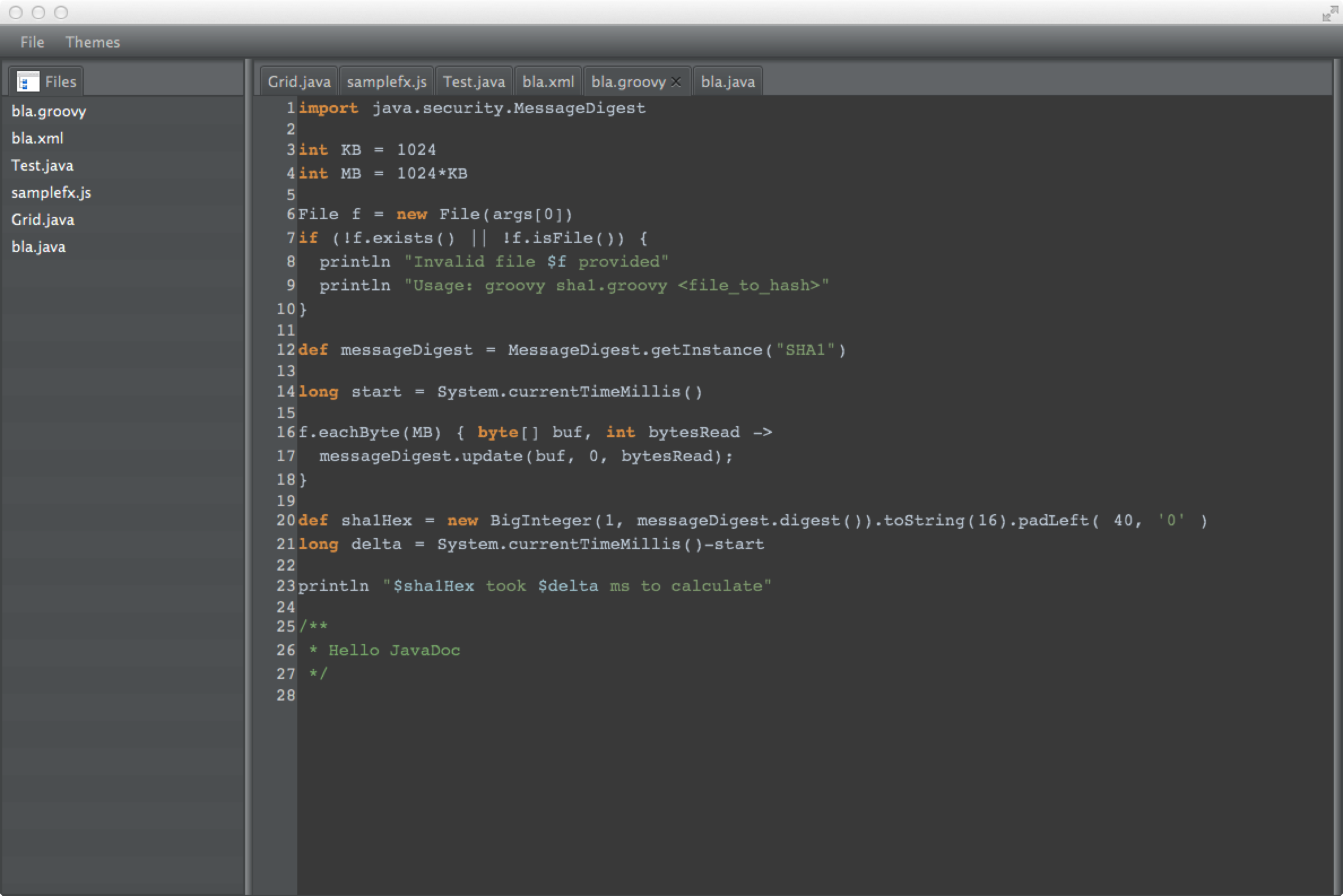 and the specification of the highlighting
 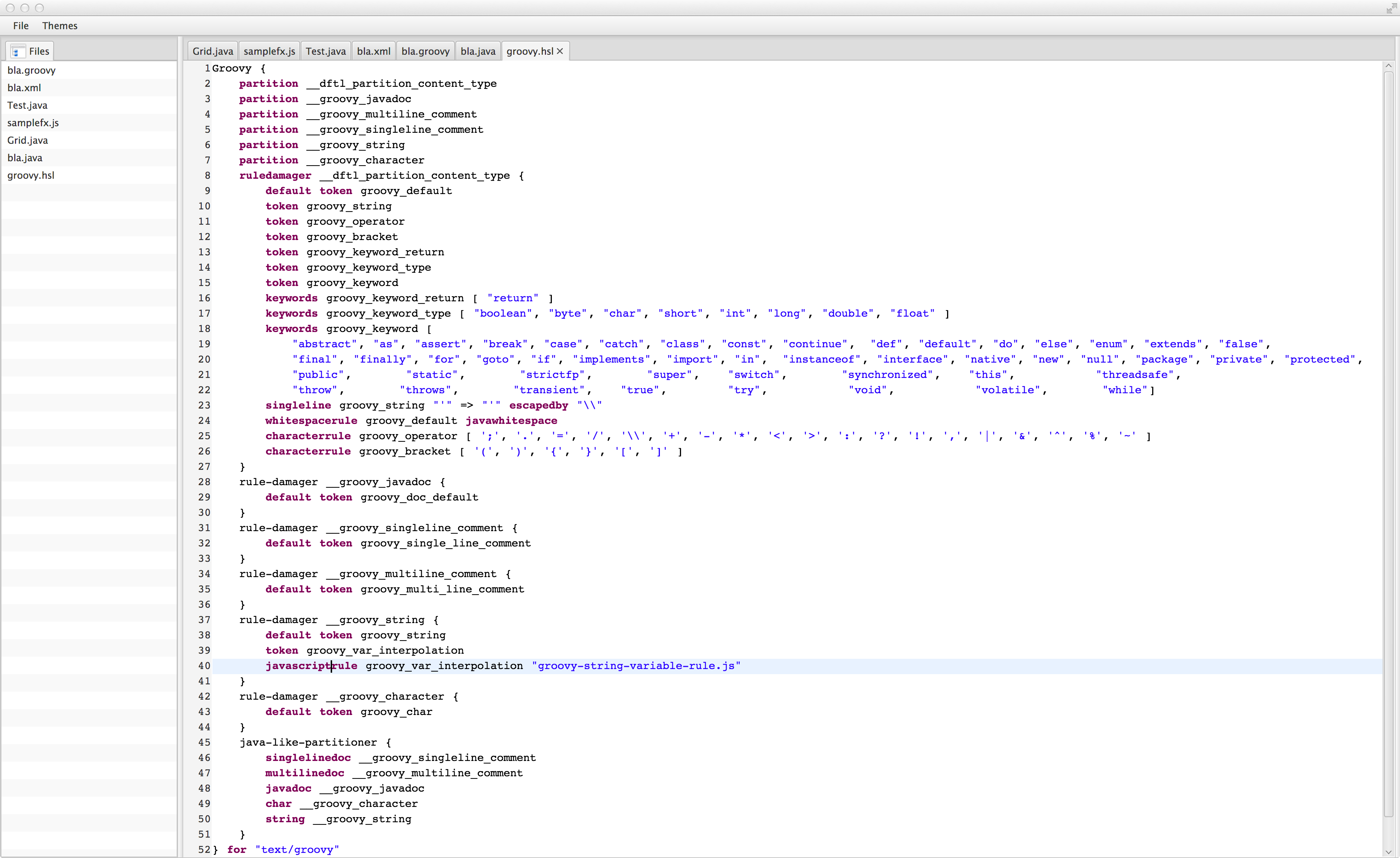 and the following CSS-Stylesheets for a bright and dark L&F
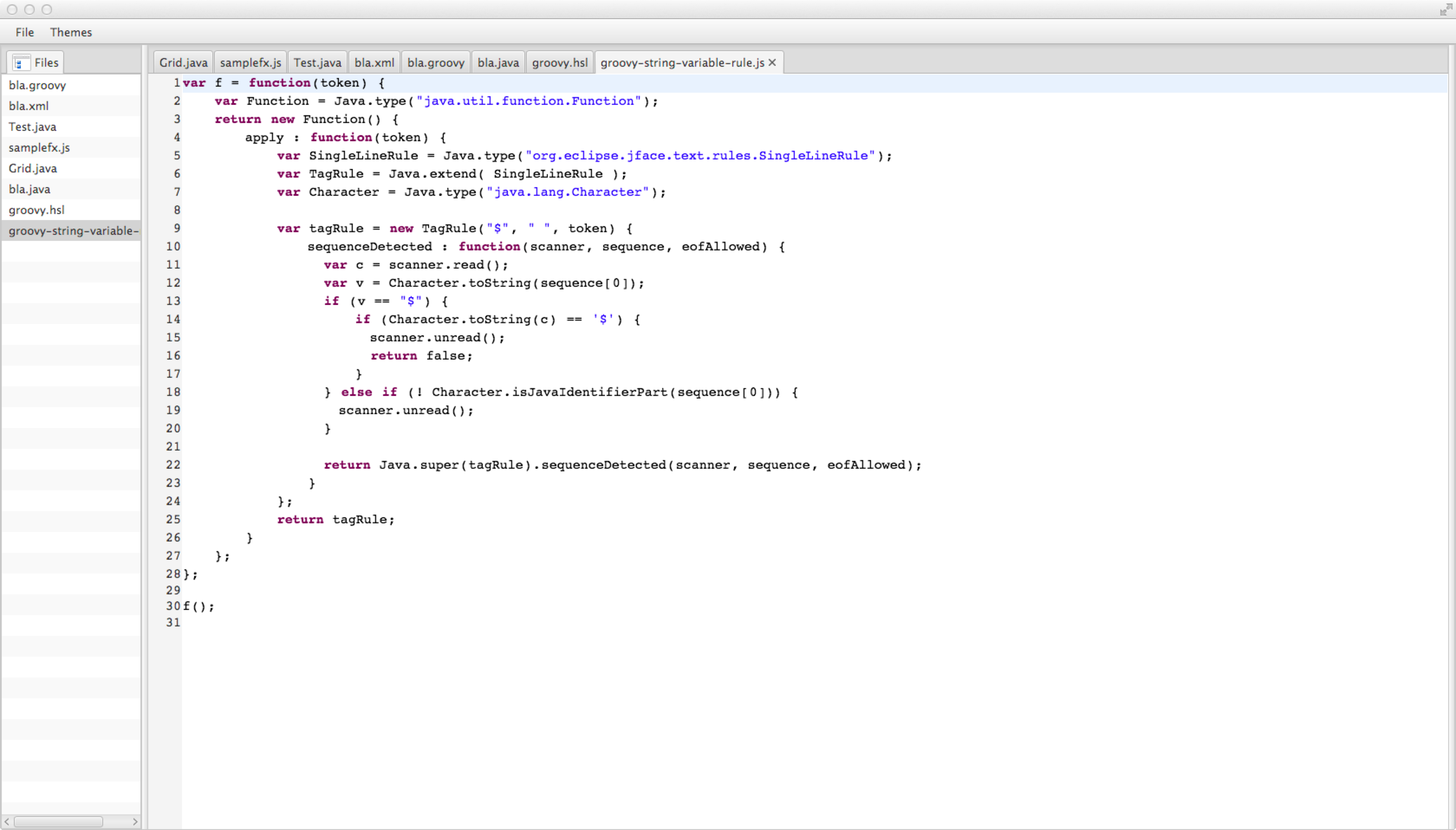
 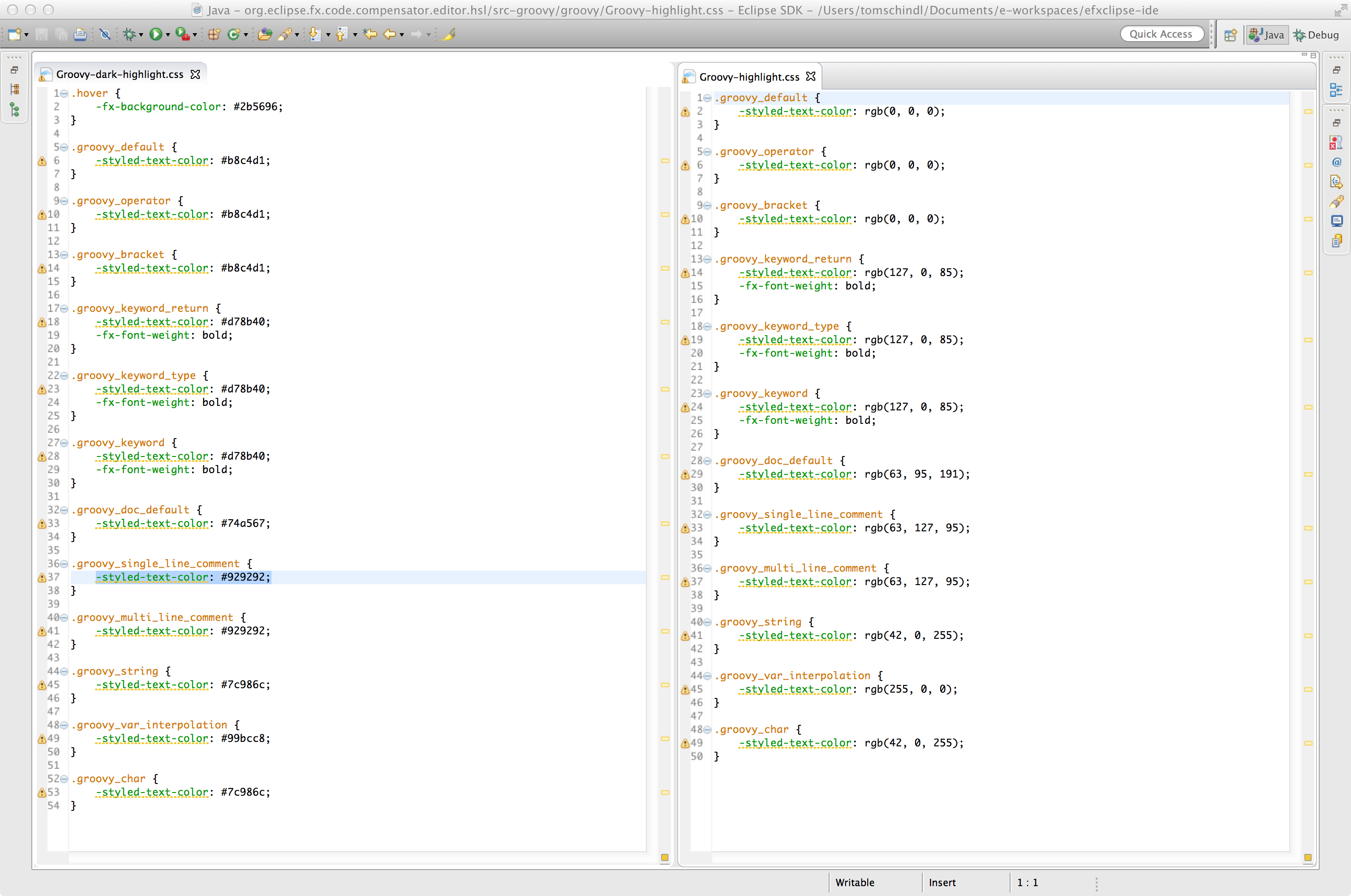 You notice that the token names simply match the CSS-Class-Selectors used! Above I said there's fairly no code you need to write because for complex rules like the variable interpolation in groovy strings we require you to write some JavaScript and we use Nashorn to load the rule definition which looks like this for variables inside strings.
  The text-editor framework that we started to build is not part of the release it is more of a research project that we started to build in this release cycle to exploit Eclipse4+JavaFX and other Eclipse technologies. All building blocks we used although are part of the release and you can build something similar yourself.